DraftSight Critical Hotfix
Due to an Expired Certificate, all supported Windows versions of DraftSight released from 2012 to 2017 SP0 (both 32bit and 64bit) will not launch and/or will stop running as of March 1st, 2017. A list of the affected products is below.
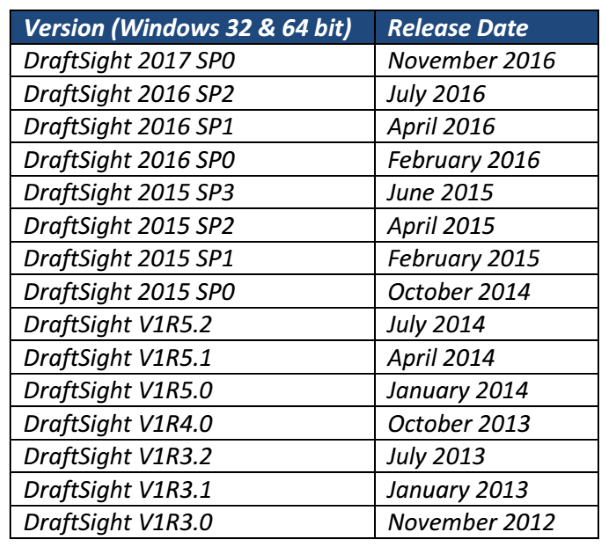
We have made a simple solution available: first, click on this link to be brought to the DraftSight Download Page. Scroll down and you will see the following message:

Next, download the Hotfix. Once downloaded, run the downloaded file ( DraftSight_HotFix_2017R.exe ).
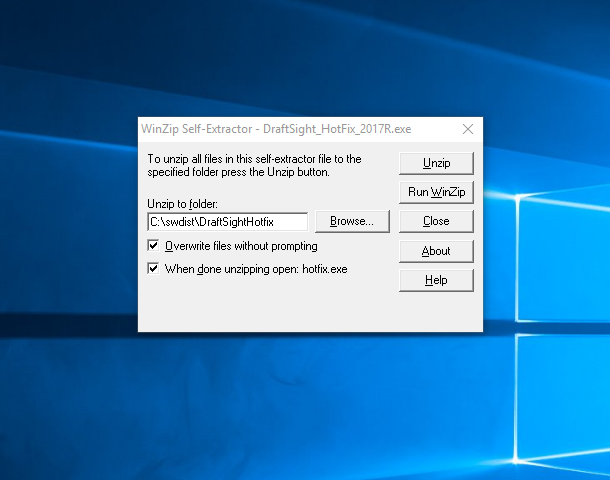
When the screen above appears, click on Unzip.
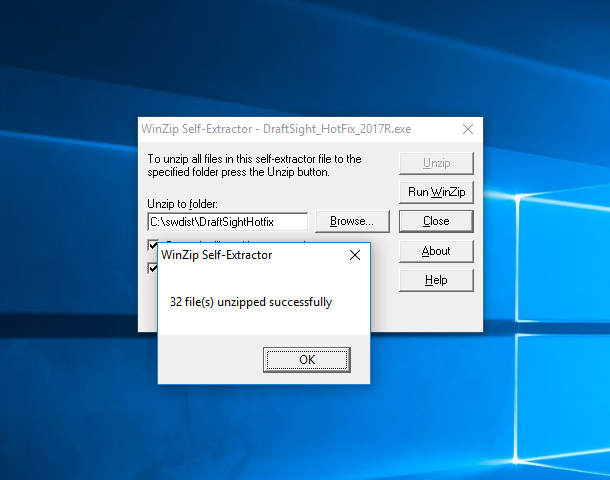
The Hotfix will then unzip to a temporary folder.
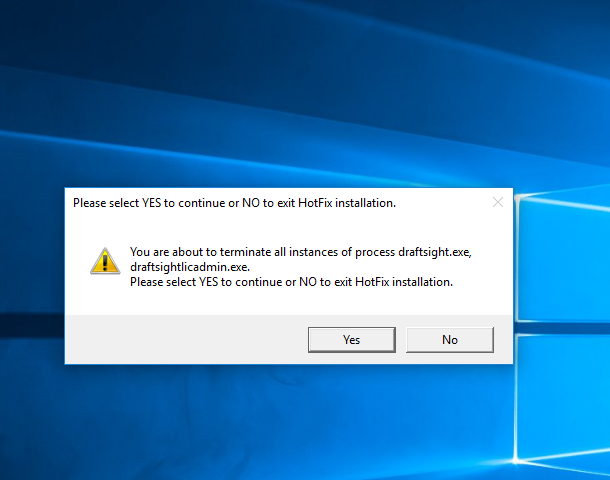
The Hotflix will automatically run the patch, just click on Yes to install it.
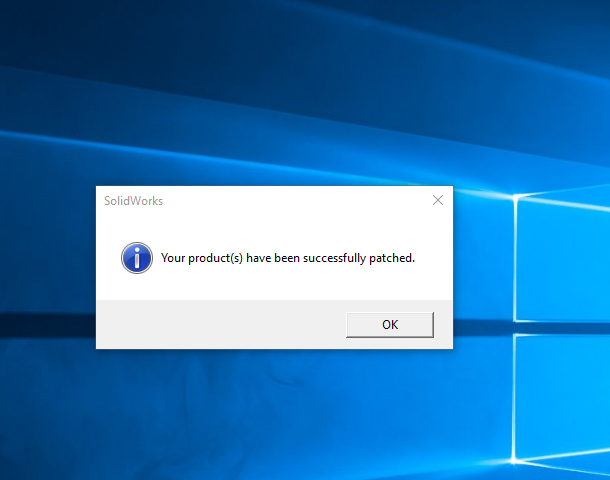
Once the Hotfix has successfully installed, you will see the above screen. And that’s it, your copy of DraftSight has been updated and will continue to work as normal. It should be noted that this issue only affects Windows users, Mac and Linux versions of DraftSight (free and Beta only) do not require this Hotfix as they are not affected by the expired certificate.
Multi-Machine Silent Install Option (Note: step #2 can be scripted by the local IT team as needed):
- After extracting the HotFix contents,
- run from an administrative command prompt: <extracted folder>\hotfix.exe /s /k
Additionally, DraftSight 2017 SP1 will be launched in the next few weeks, which contains the hotfix and other improvements.
We apologize for any inconvenience, and we continue to be fully committed to providing the highest quality of software solutions for our growing community of DraftSight users.


15 Responses to “DraftSight Critical Hotfix”
Peter Foley
Installed the patch on Win 10, 64 bit; all went as in your script above. Re-booted and started Draftsight and attempted to use prgram: any attempt to do ANYTHING on a drawing resulted in a crash of the program. That is anything!! Draw a line – crash. Change active layer – crash. ANYTHING!! Please advise.
tomclark
I am having the same problem. Even just opening a drawing, then “save as” results in a crash.
Peter Foley
Go back to Draftsight and get the new R3 version of the hotfix patch – cured mine, runs like it always has, now.
Joe Taylor
With Draftsight 2017 I draw a rectangle and in the X I type in 950mm for example it dimensions at 949.9375mm. It did the same thing in Y direction. But it’s not every time. Why?
Also I know I offset 2 lines at 8″ and the other 8.5″ but when I plot it X direction is all ways smaller.
Never had this problem with 2016 version.
marymarra
Draftsight crashed again, as usual. Tried to reopen my drawing – mouse won’t work. Uninstalled and reinstalled 2017. Mouse still won’t work & toolbar on top is gone! HOTFIX won’t run – says that none of the products defined are installed – your system has not been modified, but they won’t install. WHAT’S GOING ON????? WHY IS THIS CRASHING SO MUCH??? NOW I HAVE NOTHING!
https://uploads.disquscdn.com/images/0573d359cea11ad591022acba112aa43557699209427706a5ec6cf30381a7220.jpg
Thomas Mather
Hi marymarra,
I am having the exact same issue, did you find a solution in the end?
Bobby Aarsen
I am also having this same issue, any results yet?
Miguel Maia
Draftsight 2017 SP1 64 bits crashes when saving on Windows 10. Why? How to solve it?
Piotr Malinowski
I have the same, what should I do?
Dane Olenslager
https://uploads.disquscdn.com/images/1db1061374a2bb173784e901bfb906efcd861d701929754cf10870cae208d6ad.png
You could try running it in Windows 7 comparability mode. Right click on the desktop icon, select “Properties”, click on the “Compatibility” tab, the under “Compatibility mode” check the box and select Windows 7 from the drop-down.
CrM
Still crashes in Windows 7 compatibility mode…
“Save” and “Save as” command
Rodell Cabrera
Need advise for a newly installed free version of Draftsight 2017 SP2 on Windows 7 which can’t be opened upon request of activation
CrM
Draftsight 2017 SP1 64 bits crashes when saving on Windows 10
This happens when you try to SAVE or SAVE AS:
And already tried running it in Windows 7 comparability mode…
https://uploads.disquscdn.com/images/bbe414602acf0237e295d689fb4882f853e154bb6d46bae442b476d75b6dc738.jpg
CrM
And (since first day of the new release) only prints in PDF without crashing, but that i can live with…
Help, lost already lots of hours of work due to crashing when “Save as”…
JB Nethery
Why don’t you just fix it so that it actually works?? All these workarounds and hotfixes are frustrating to say the least. I uninstalled Draftsight and will no longer even attempt using it. It is far too unstable.