CAD Standards in DraftSight
Exploring the Role of Exploded View Drawings


Exploded view drawings offer users a clear and detailed way to visualize complex assemblies and components. Whether you’re working on a product prototype, construction equipment, or any technical project, these diagrams break down intricate assemblies into accessible parts for better … Continued
CAD Terms: Everything You Need to Know

Computer-Aided Design (CAD) has revolutionized the way designers, engineers, and architects work, enabling precise, efficient, and sophisticated design creation. However, for beginners or even seasoned professionals, navigating through CAD terminology can feel like learning a new language. Whether you’re just … Continued
The Benefits of Using DraftSight for AEC Professionals

The architecture, engineering, and construction (AEC) industry requires precision, collaboration, and efficiency at every stage of a project. From early concept development to the final construction phase, professionals in this field rely on powerful tools to meet the demands of … Continued
Importing PDF to CAD: DraftSight Does it Better
Anyone who has worked with CAD files knows how important it is to have a smooth PDF to CAD conversion. Whether you’re dealing with older drawings, collaborating with different software, or repurposing legacy designs, converting a PDF to DWG should … Continued
A Step-By-Step Guide to BIM Tools in DraftSight Premium

DraftSight has long been recognized as a powerful solution for design and architecture professionals. With the release of DraftSight 2025, the new Building Information Modeling (BIM) module takes center stage, offering innovative tools to streamline workflows, enhance precision and save … Continued
How the DraftSight BIM Module Benefits Professionals Across Industries

The DraftSight BIM module is quickly earning a reputation as an essential tool for professionals relying on precise 2D documentation derived from Building Information Modeling data. By enabling the conversion of Revit (RVT) and IFC models into actionable 2D outputs, … Continued
The New DraftSight BIM Module – A Smarter Approach to Building Information
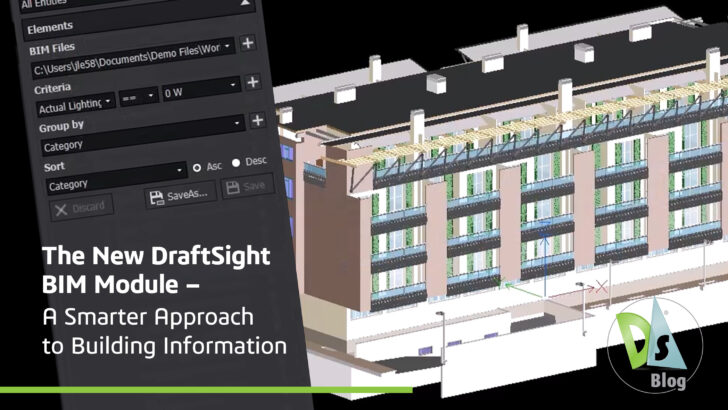
Architects, engineers, contractors, and facility managers in the architecture, engineering and construction (AEC) industries are increasingly adopting tools that simplify complex workflows without compromising accuracy. With its latest BIM module, DraftSight has taken a significant step forward in bridging the … Continued
Construction Drawings Demystified: Understanding Each Type’s Function and Importance

INTRODUCTION TO CONSTRUCTION DRAWINGS Construction drawings, or blueprints, are the heart of any building project. They are visual representations of a building or construction project that include detailed depictions of every building element, such as the foundation, walls, floors, elevations, … Continued
Mastering CAD Drawing Templates: A Complete Guide

Discover how CAD drawing templates can save time, ensure consistency, and streamline your design process to easily create professional-quality drawings.
Understanding CAD Scale Factors
When it comes to drawings, CAD scale factors are crucial because they ensure an accurate representation of a real-world object. They allow designers to effectively represent large objects on a smaller drawing by scaling them down proportionally for downstream use … Continued